


DJI Goggles 3 — bind, CE/FCC, and an observer beside you
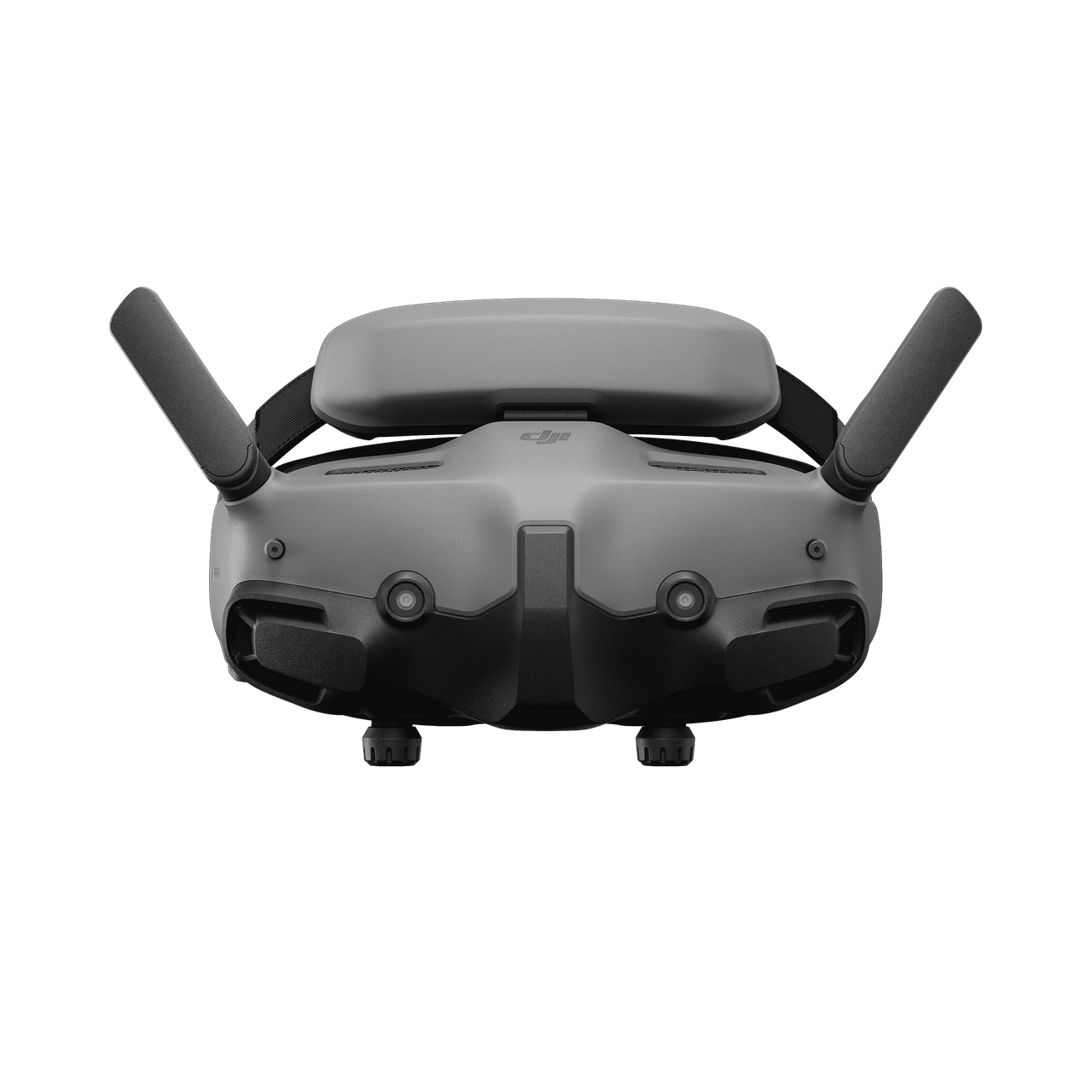
DJI Goggles 3 — micro-OLED FPV goggles for our O4 Air Unit Pro
The O4 Pro was already ordered. Then the awkward question: what are we actually looking into? No goggles, no live picture. Radio stays the TX16S + ELRS XR4 — we are not buying a DJI RC3. Sticks and failsafe stay ELRS; the goggles are the eyes.
Ordered 2026-09-12 (AliExpress EU warehouse). Box still in transit while we write this — so this is the guide we want on the bench when they arrive.
Why Goggles 3 (not N3)
N3 is easier on the wallet (LCD, simpler). Goggles 3 is micro-OLED, full IPD/diopter, race mode with O4 Pro, and — from the people we follow — the better match once you already ordered Pro. Open alternative stays research: OpenIPC — later, not now.
What we do / don’t use:
- Live video O4 Pro → yes
- DJI RC3 / Motion 3 → no (ELRS on TELEM2)
- Head tracking → off (we fly the TX16S)
- Real View PiP → useful on the ground — does not replace an observer
- FC OSD → later via MSP DisplayPort (O4 install · no WTFOS)
- fpv.wtf / root → no (no O4 / Goggles 3 support)
Rules: FPV, VLOS and observer (NL / EU)
With the headset on, you watch the camera feed. That is not “keeping the drone in sight”.
EU rules (Implementing Regulation 2019/947, EASA FPV):
- Default in the open category: VLOS — the remote pilot keeps the aircraft visible.
- FPV goggles = narrow view, little situational awareness → not VLOS for the pilot.
- FPV is still allowed if a UA observer (visual observer) stands next to you and:
- watches the aircraft with their own eyes (not your screen),
- scans airspace and surroundings (manned aircraft, people, trees, buildings),
- can clearly and immediately tell you what to do (“land now”, “break left”).
Real View PiP is handy. It is not a legal substitute for that observer.
Our UL8 (privately built, typically A3)
Privately built / no Cx class mark and above 249 g usually means A3 in the open category:
| Rule | Practice |
|---|---|
| Max height | 120 m |
| Distance | e.g. ≥150 m from residential, commercial, industrial or recreational areas |
| Over people / crowds | no |
| No-fly | check GoDrone (LVNL) before you fly |
| Certificate / registration | EU drone certificate (A1/A3) + operator number on the aircraft |
| FPV | only with an observer next to the pilot |
FPV without an observer, or out of sight, is BVLOS. That is not open-category hobby flying. You need the specific category and ILT authorisation.
What the observer is / isn’t
| Yes | No |
|---|---|
| Second pair of eyes on the aircraft | Only watching a monitor |
| Beside the pilot, direct speech | Standing kilometres away |
| Can force “land” / “stop” | A substitute for your duties as remote pilot |
There is no separate EU “observer diploma” in the open category. There is a need for someone who can do the job.
Separate: transmit power
CE in the Netherlands is the safe default. Extra HAM/FCC power is radio law, separate from VLOS. It does not fix FPV sight — see §3 Transmit power.
First flight (maiden)
You fly FPV. Someone beside you keeps the UL8 in sight. Open field. A3 distances. GoDrone checked. Props on only when radio, failsafe and video check out.
More: Dutch government — drone rules · ILT open category · EASA FPV.
1. Out of the box — first power-on
- USB-C data cable (not charge-only).
- DJI Assistant 2 (Consumer Drones Series) + DJI account.
- Power the goggles → Settings → About → OTG wired connection if Assistant cannot see them.
- Update firmware before the first O4 Pro bind — otherwise “O4 Air Unit Pro” is missing from the menu.
- Format the microSD in the goggles (not from the Mac while they are USB-mounted). Card: U3 A2 V30, 64–256 GB is enough (Kingston Canvas Go! / Lexar 1066x are on DJI’s list).
Same Assistant for the air unit: activate + firmware — see O4 install. The O4 Pro must be powered from pack/BEC during activation, not USB-C alone.
2. Bind with the O4 Air Unit Pro
- In the goggles: Status → Switch → DJI O4 Air Unit Pro (not Lite).
- Goggles: hold the power button until they beep (bind mode).
- Power the air unit, wait for a red LED.
- Bind button on the air unit (tweezers) — LED flashes red.
- Done when the LED is solid green and you see camera video.
If you ever mix Lite/Pro: pick the correct air-unit type in the menu before you fly.
3. Transmit power: CE vs HAM unlock (FCC)
EU goggles start in CE. On 5.8 GHz that is roughly ≤25 mW / 14 dBm EIRP and few channels (typically 1× 40/60 MHz, 3× 20 MHz). FCC-like mode: up to 1200 mW, 3 channels at 40/60 MHz, 7 at 10/20 MHz — more range and less crowding.
We fly in the Netherlands. Extra power is not a toy switch. Without a valid amateur radio licence and outside the allowed allocation/limits, FCC power is illegal. Default for this build: CE, until we use HAM deliberately and legally.
The community unlock is HAM unlock: an empty file named ham_cfg_support (no extension, no .txt) in the root of the microSD in the goggles, then power on.
- Format the card in the goggles.
- On the Mac: create an empty file with no extension (
touch ham_cfg_support) — Finder otherwise showsham_cfg_support.txt. - File on the root of the SD, card in the goggles, power on.
- Check: Settings → Transmission → Channel Mode → Manual. At 40 or 60 MHz you should see 3 channels (CE: 1). Power up to 1200 mW = unlock worked.
- Once set it sticks until a factory reset (Settings → About). New firmware can revert it — re-check after an update.
Pitfalls: the file must be 0 bytes and have no .txt; it belongs on the root, not in a folder. Format in the goggles first, then copy the file. If the Mac then won’t mount the card: Disk Utility, or a phone/Windows box. Red “Suggest format” = card/file not recognised — format in the goggles again, no .txt.
Sources (not an official DJI feature): Oscar Liang — O4 Pro setup / FCC · Oscar Liang — FCC / ham file.
4. Useful settings (first session)
| Place | Our choice |
|---|---|
| Transmission | Manual channel; start CE 25 mW |
| Bandwidth | 20 MHz when crowded; 40/60 MHz only on a clean spectrum |
| Quality | 1080p/100 for flying; 4K record on the air-unit SD if needed |
| Head tracking | off |
| Real View PiP | on for practice / taxi |
| Goggles record | swipe down → Record, or auto-record in camera advanced |
| IPD | slide until the image is one sphere, not double |
| Diopter | per eye, until sharp without glasses |
Recording tip: FAT32 splits files around 4 GB — concatenate in the editor. Slow cards show “SD Card Slow” and abort DVR.
5. Comfort, firmware and Mac tips
- IPD: slide under the lenses until the image is one sphere. Wrong IPD = a headache within minutes.
- Diopter: per eye, using the built-in grid — Settings → Display → Focus Adjustment. Close one eye, twist until the lines are sharp, then the other.
- Proximity sensor: screens turn off when you take the goggles off — don’t panic if the picture “vanishes”.
- Charge: USB-C (built-in 21.6 Wh). For Assistant: a data cable, not charge-only.
- Firmware: goggles first, then the air unit, in DJI Assistant 2 (Consumer Drones Series) — not the old FPV Series Assistant. Keep them on the same generation or you get a black screen with no useful error.
- Mac + Assistant: famously flaky. Workaround: DJI Fly on a phone, or a Windows PC. Enable OTG in the goggles if they don’t appear.
- Channel orange / drop-outs: pick another manual channel (after HAM: 3 at 40/60 MHz). Start at low CE power until the link is stable.
- Temperature: DJI: −10 to 40 °C. Don’t bake them in a car; keep the air unit cool (install).
Monday, besides the goggles: U3/A2/V30 microSD 64–256 GB, spare USB-C data cable. No RC3.
6. ELRS beside it
- XR4 stays on TELEM2; O4 S.Bus stays disconnected (install).
- Video fail ≠ RC failsafe. Goggles off or a lost O4 link must not drop the UL8 while ELRS is alive.
- 5.8 GHz video vs 2.4 GHz ELRS: keep antennas apart; not against carbon or the F9P helical.
Bench order
- Goggles firmware + SD format.
- Activate/update O4 Pro.
- Bind, CE power, confirm picture (props off).
- Only then HAM unlock if the licence allows it.
- OSD UART later — native DisplayPort, no WTFOS.
- First real flight: observer beside you — see rules.
Specs — reference
| Displays | dual micro-OLED 1920×1080, up to 100 Hz |
| IPD | 56–72 mm |
| Diopter | −6.0 to +2.0 D (glasses often unnecessary) |
| Battery | built-in 21.6 Wh / 3000 mAh · ~3 h (DJI claim, 1080p/100) |
| Weight | ~470 g including battery |
| microSD | up to 512 GB (U3/A2/V30) |
| Link | DJI O4 with Avata 2 / O4 / O4 Pro |
| Race mode | yes (not on Goggles 2 / Integra) |
Specs: dji.com/goggles-3/specs. Manuals: DJI downloads · local EN / NL.
| Goggles 3 | Goggles N3 | |
|---|---|---|
| Panel | micro-OLED | LCD |
| O4 Pro race mode | yes | yes |
| Comfort / IPD / diopter | full range | simpler |
| Price | higher (~€500–700) | budget |
What do the five say?
| Reviewer | Found? | Takeaway | Link |
|---|---|---|---|
| Oscar Liang | yes | G3 vs G2/Integra/N3: micro-OLED, race mode, future-proof with O4; N3 is budget LCD | Goggles 3 · which goggles |
| Joshua Bardwell | yes (ecosystem) | Avata 2 / O4 + Goggles 3: 60 MHz bandwidth, low latency; goggles as part of the O4 chain | Avata 2 & Goggles 3 |
| Chris Rosser | no review found | No dedicated Goggles 3 review found | — |
| Painless360 | no review found | No dedicated Goggles 3 review found | — |
| UAV Tech | no review found | No dedicated Goggles 3 review found | — |
Our pick: Goggles 3 (not N3, not RC3). Ordered 2026-09-12. CE until HAM is deliberate and legal. Oscar/Bardwell back “Pro + G3 = the O4 chain”; open path stays OpenIPC for later.
Sources: review panel (Oscar, Bardwell, Rosser, Painless360, UAV Tech).
Read next
- O4 Air Unit Pro
- O4 install
- Step 2 — FC & power · Step 7 — config & first flights
- TX16S MK3 MAX · ELRS setup
- fpv.wtf & native OSD · OpenIPC
- Official: Goggles 3
- Rules: EASA FPV · Dutch government drones
Choice log
We had an O4 Pro with no eyes. Goggles 3 is the ground side that matches that air unit — pricier than N3, but micro-OLED + race mode. RC stays ELRS. First real FPV flight only with an observer beside us; CE until HAM is deliberate and legal.
Photos